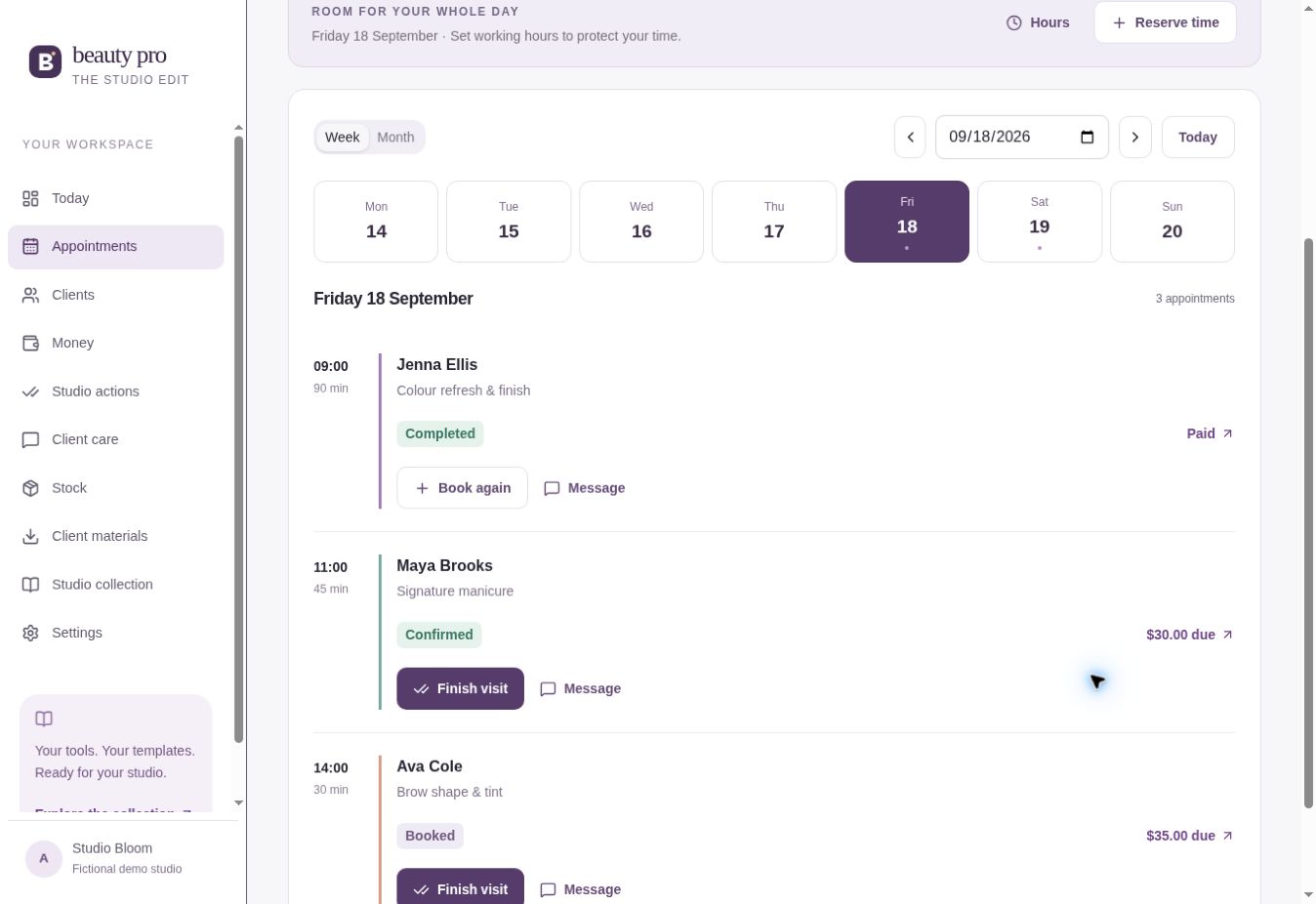
YOUR CALENDARSee who’s coming
See who’s coming
and when.
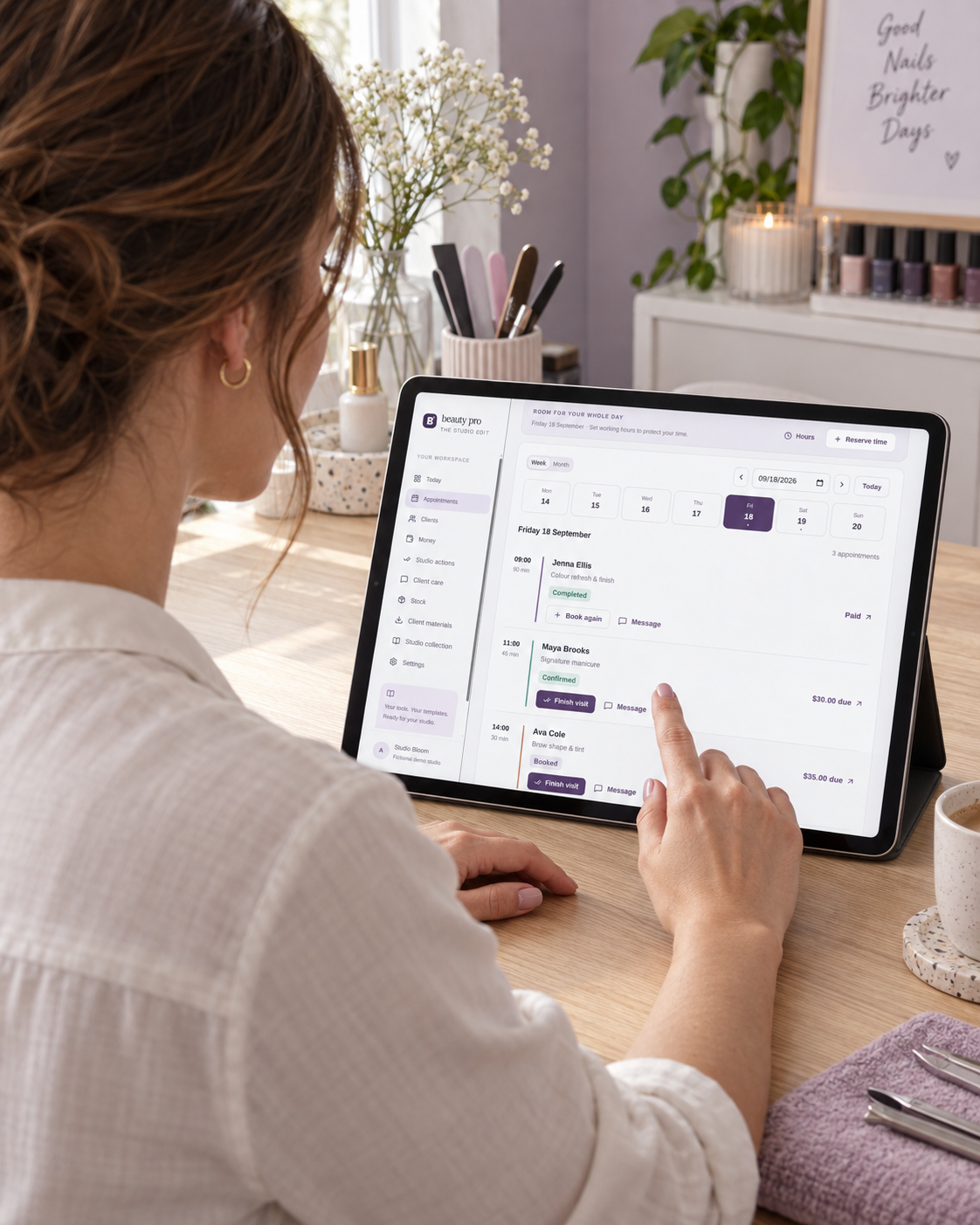
Choose the client, service, date and time. Keep the price and booking notes with the appointment.
Set your working hours, breaks and days off, too.
BEAUTY PRO · YOUR BEAUTY BUSINESS ORGANIZER
Organize your appointments, remember your clients and understand what each service leaves after direct costs. One workspace for independent beauty professionals.
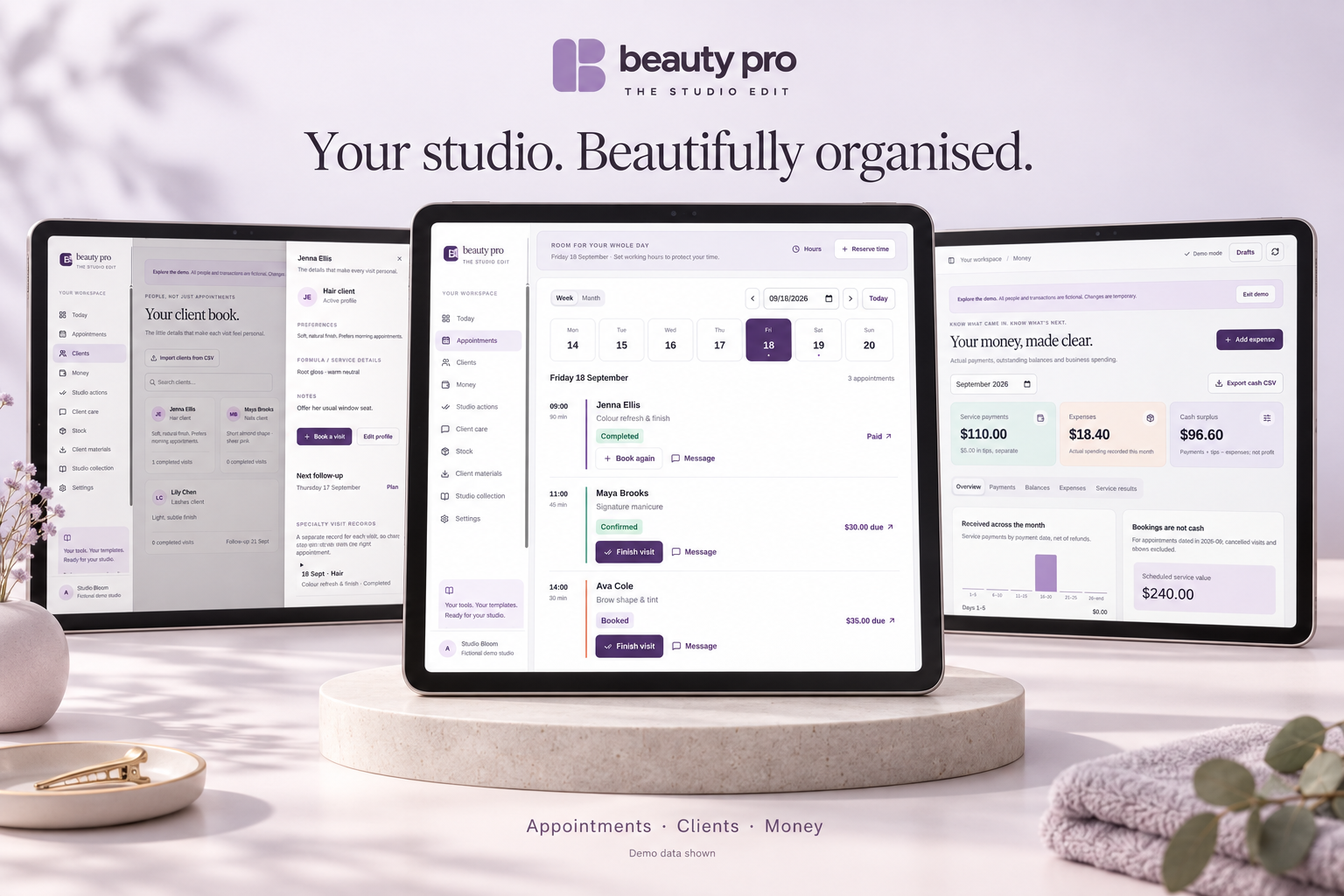
Beauty Pro on a tablet. Device not included. · Demo records.
You add appointments and record payments yourself. Internet required. App and resources in English.
SOUND FAMILIAR?
Your diary is in one place. Client notes are somewhere else. And you’re scrolling through messages to find a detail.
01“Which color did she choose last time?”
02“Has this appointment been paid for?”
03“Who did I need to get back to?”
TAKE A CLOSER LOOK
Watch this 27-second preview, then try the demo yourself. The preview shows example screens, not a recording of someone using the app.
Your studio. Beautifully organized. See your appointments at a glance: visits, services and payment status in one diary. Remember the details that matter: client preferences, service notes and visit history. Keep your money in view: recorded payments, expenses and outstanding balances. Your time. Your clients. Your business. Explore Beauty Pro.
HOW YOU’LL USE IT
Add the booking, save the details and update the record after the visit.
Choose the client, service, date and time. Keep the price and booking notes with the appointment.
Set your working hours, breaks and days off, too.
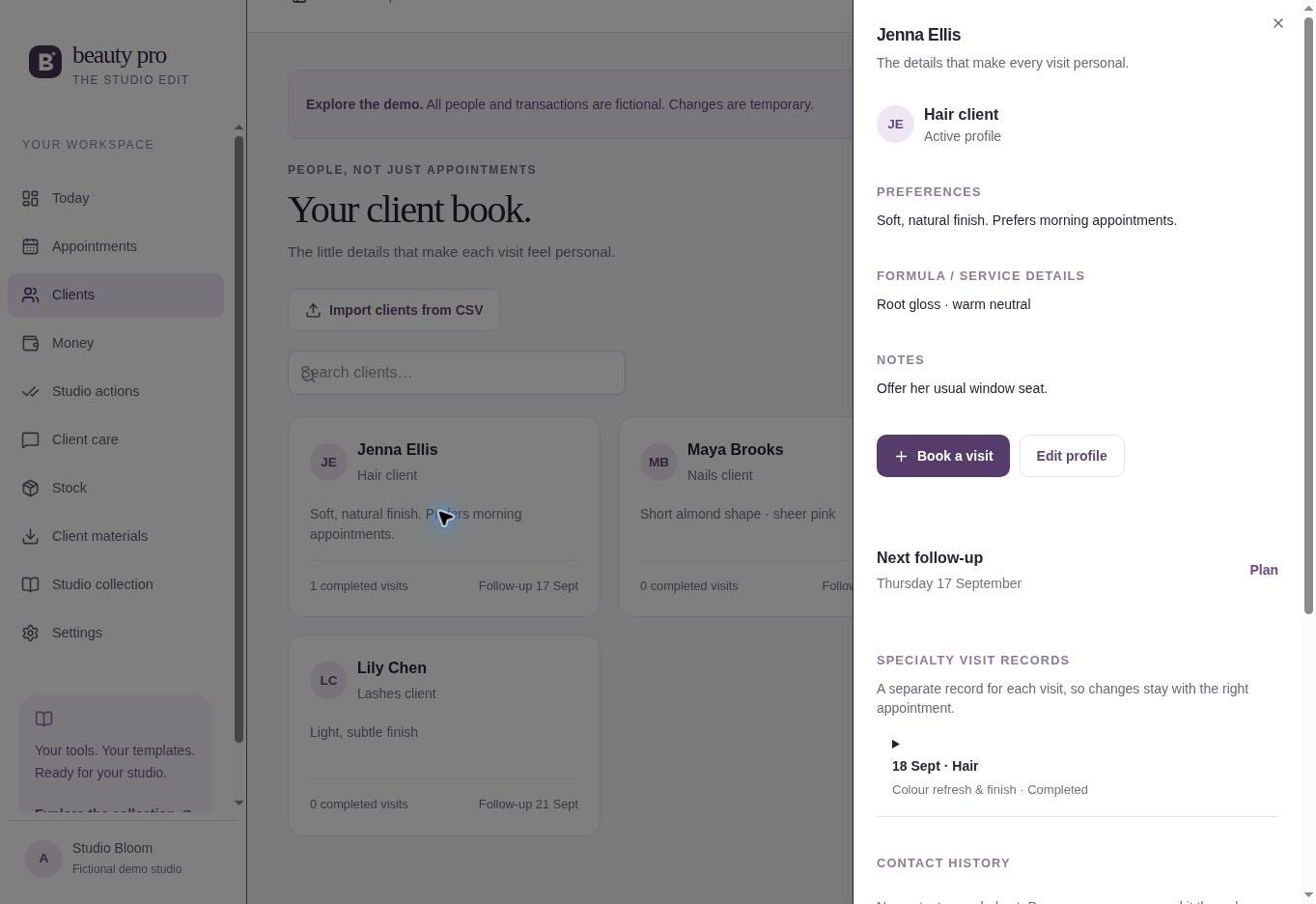
Check the last visit before your client arrives. Save their favorite shade, preferred style and anything you want to remember.
Their preferences and visit notes stay together.
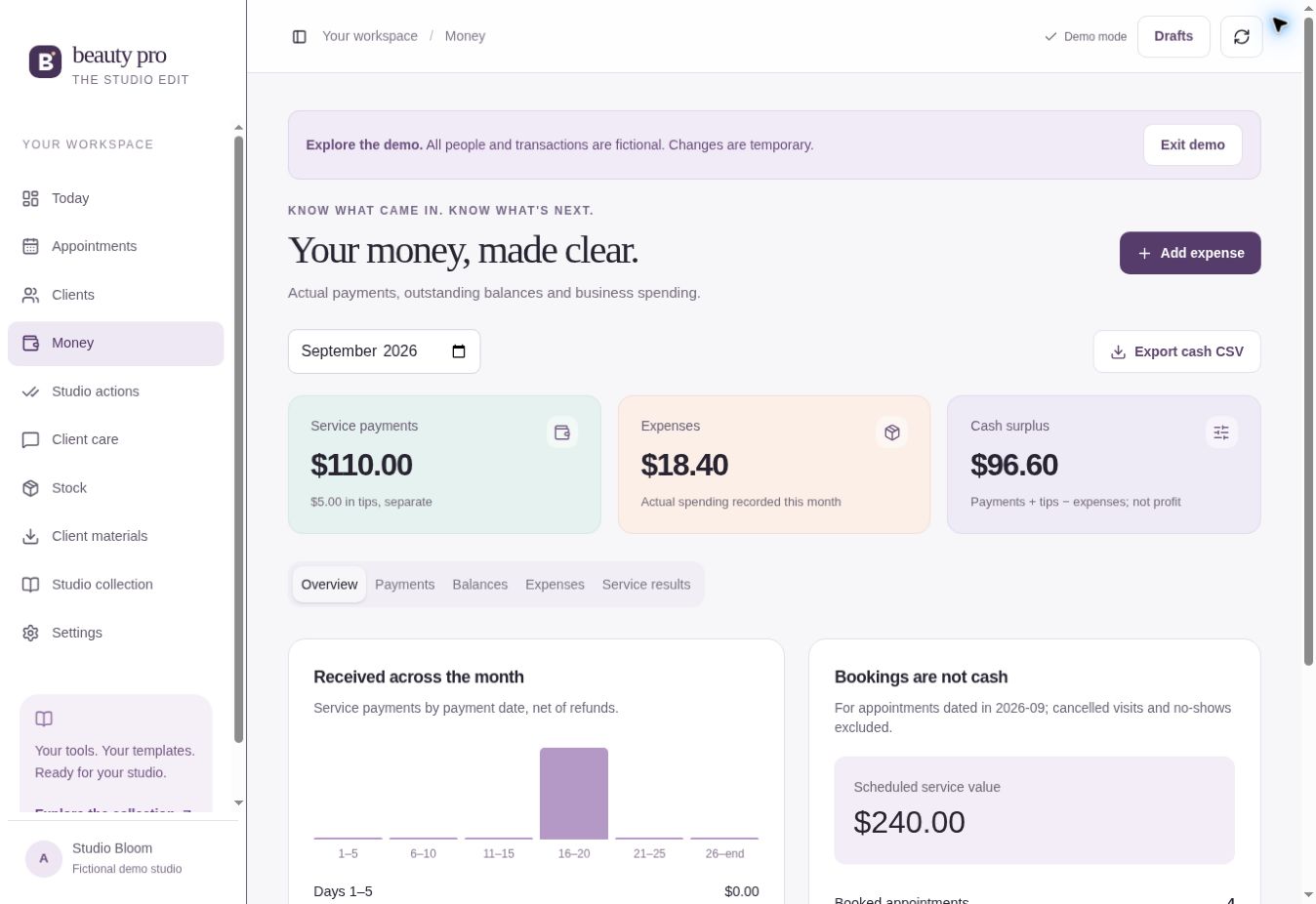
Record the money you’ve received, including deposits and tips. Add business expenses and review outstanding balances.
Beauty Pro records payments. You take the payment through your usual method.
Choose a ready-written message, edit it and send it through the app you normally use to contact clients.
You decide what to send and when. Messages are not sent automatically.
MADE FOR WORKING ON YOUR OWN
Whether you work from a salon suite, a home studio or a nail desk, keep your client details close by.
AI-created illustrative scene, not a customer testimonial. App examples use fictional records.
A CLEARER WAY TO KEEP TRACK
| The daily task | When everything is separate | With Beauty Pro |
|---|---|---|
| Check your day | Look through diary pages and messages. | Open your appointment calendar. |
| Remember a client | Search for an old note or conversation. | Open their preferences and visit history. |
| Check a balance | Match your payment notes to the visit. | See what you recorded as paid or still due. |
| Write a follow-up | Start with an empty message. | Edit a ready-written message and send it yourself. |
Your records are only as up to date as the information you add.
UNDERSTAND YOUR SERVICES
Try changes to your price, direct costs or appointment time before changing a saved service. Then review completed visits using the payments, time and costs you actually recorded.
$8 materials + $2 direct fees
90-minute service + 15-minute preparation
About $28.57 per hour including preparation.
Before rent, wages, taxes and other business costs.
This example is not a typical result, a pricing recommendation or a profit claim. The public calculator is free; the paid app adds saved service records and completed-visit comparisons. Trial calculations do not change saved prices or bookings.
WHAT’S INCLUDED
Everything below is included with Beauty Pro. The social media Content Kit is a separate, optional extra.
Calendar, client profiles, visit notes, payment records, expenses, manual stock tracking and service comparisons.
365 DAYS OF ACCESS · ONE PROFESSIONALReady-written starting points for reminders, follow-ups and everyday client conversations.
EDIT, COPY & SEND YOURSELFEdit a service menu, welcome guide, appointment card and visit note. Save as a PDF or image.
4 TEMPLATES INSIDE THE APPA setup checklist, app guide, pricing calculator and 12 business worksheets.
START WITH WHAT YOU NEEDPrefer planning on a PDF? Your downloads include a separate planner, an example and six short videos explaining that planner. PDF features depend on your reader. The PDF does not sync with the app.
The 150 messages in the app and download are the same collection.
MORE THAN THE APP
No need to start every message or client document from scratch.
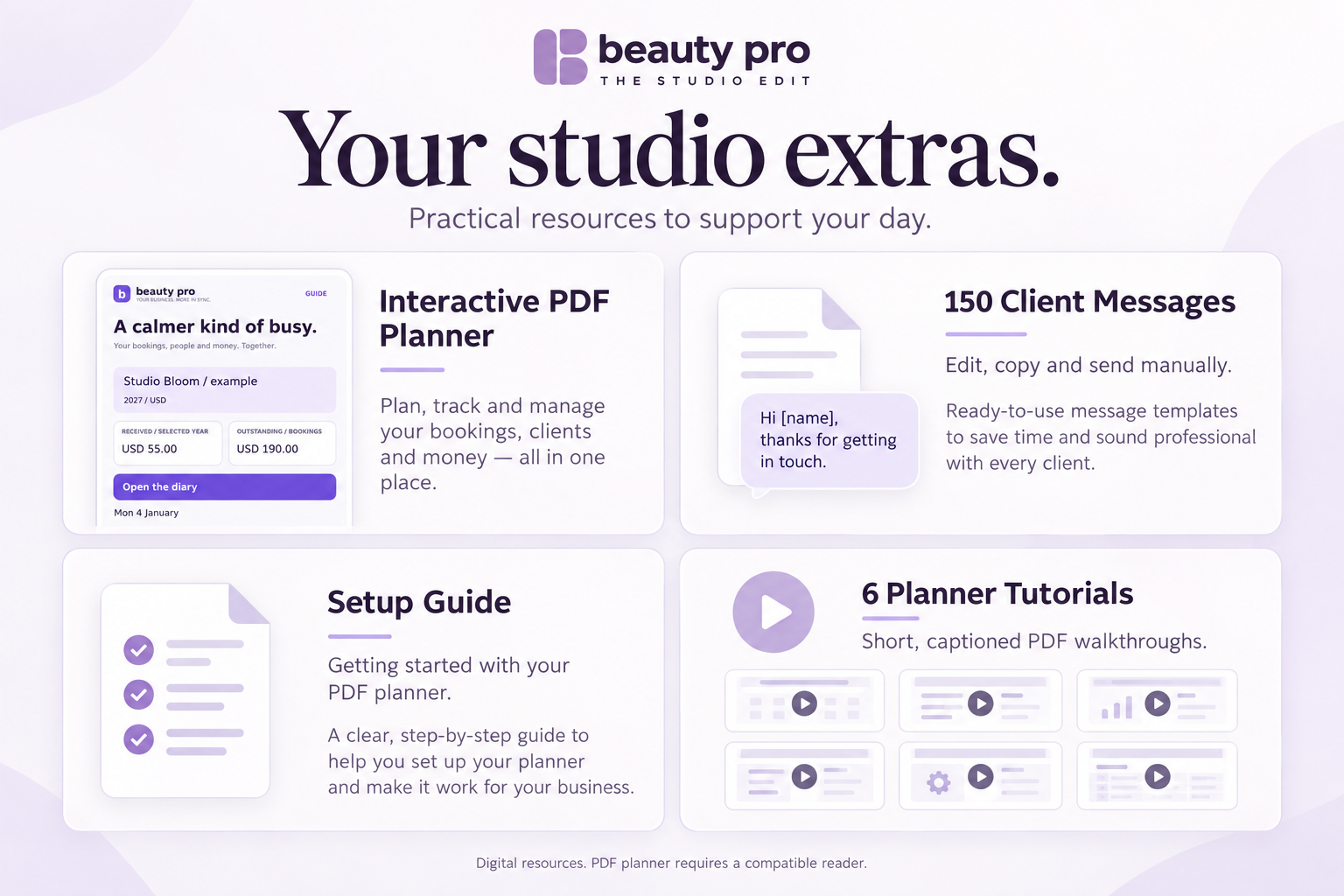
Edit reminders, follow-ups and everyday replies.
Make a service menu, welcome guide, appointment card and visit note.
A pricing calculator and 12 worksheets inside the app.
App guidance plus a separate planner and six short tutorials about the PDF planner.
All digital. The PDF is separate from the app and does not sync. The app and downloadable messages are the same collection.
Get the app + included extras →YOUR BEAUTY PRO PACKAGE
Digital product. No tablet or printed materials included.
365 days for one professional, starting when confirmed payment is processed. One payment. No automatic renewal. Taxes, if applicable, shown at checkout.
Continue directly to secure Shopify checkout.
Try the demo — no account needed ↗GETTING STARTED
You don’t need to fill in your whole business at once.
After purchase, follow the access instructions. Use your checkout email and confirm it to open your account.
Set your business name, currency and time zone. Add one service and one client.
Pick a date and time. You can add more clients, services and notes whenever you’re ready.
GOOD TO KNOW
Here’s what to know before you buy.
You get 365 days of Beauty Pro for one professional, plus the messages, templates, guides and downloads listed above. The optional Content Kit costs extra. No tablet or printed materials are included.
No. The offer includes 365 days of app access with one payment. The period starts when our system processes your confirmed payment, not when you first sign in. There is no automatic renewal. You can keep using the companion files you have downloaded after app access ends.
The Content Kit is an optional, separate purchase. It includes 30 editable feed posts (1080 × 1350), 15 stories (1080 × 1920), 30 captions and a 30-day content calendar. The templates reuse three coordinated layout styles with different content. A browser editor exports PNG or SVG; these are not Canva or Photoshop templates. When available, select it beside the offer if you want to add it. It is delivered as a separate download. The app’s included client messages and companion resources do not require this extra purchase.
Beauty Pro is an app you open in your browser. Your appointments and client records are saved online. A separate PDF planner is also included, but it does not sync with the app.
Yes. Open Beauty Pro in your browser on your phone, tablet or computer. Sign in to the same account to see your records. You need an internet connection.
You record payments received through your own payment methods. Beauty Pro does not process your clients' card payments. You prepare and personalize client messages, send them through your chosen app, then record the contact.
Yes. Import a client or service list from a CSV file and check it before saving. Or add one client and one service to start.
No. You agree appointments with your clients and add them to your calendar. Beauty Pro does not include a public booking page.
No. Open Beauty Pro in your web browser and sign in. You need an internet connection to save your changes.
App access ends after 365 days unless you purchase more access. There is no automatic charge. Keep an export of your records before access ends. You can still sign in to the separate Manage my data page to download your stored data when product access is inactive. You can keep using files you have already downloaded.
This edition is for one professional. It does not include separate staff accounts or calendars.
The app and resources are in English. You can write your own notes and edit your client messages in the language you use.
Email beautypro2027@gmail.com for access and product questions. Read the purchase conditions below before ordering.

A SMALL START IS STILL A START
Start with one client, one service and your next appointment. Build the rest around the way you work.
Mia · Beauty Pro’s fictional virtual presenter. AI-created illustration.Explore the demo ↗BEAUTY PRO · THE STUDIO EDIT
Keep your calendar, client notes and payment records together.
Get Beauty Pro →For independent beauty professionals · In English